Showing posts with label get. Show all posts
Showing posts with label get. Show all posts
Tuesday, October 18, 2016
How to Get Facebook Numeric ID
How to Get Facebook Numeric ID
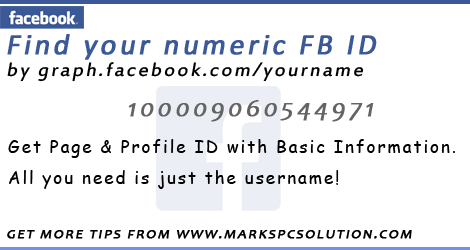
Whether youre using Facebook or Google Plus, you have an unique numeric identity number. If youre a Google Plus user, you must notice a number in your profile URL unless you havent got a username from Google. But Facebook automatically gives you a username after opening account. And thus your numeric ID is hidden from Facebook Profile URL. But you may often need to use the numeric ID of your Facebook account.
If you are an apps developer, or using social plugins for your site, you may need to use your numeric ID. Today Im gonna share an easy way to find out the numeric ID of your Facebook account.
In this way, you can find any persons profile ID number and Facebook page ID number. Follow the instruction below:
- Go to this URL - http://graph.facebook.com
- And type your username as - http://graph.facebook.com/username
- For example - http://graph.facebook.com/jolley.roberts
Now you will get the following details -
"id": "100004080544971", "first_name": "Jolley", "gender": "male", "last_name": "Roberts", "link": "https://www.facebook.com/jolley.roberts", "locale": "en_GB", "name": "Jolley Roberts", "username": "jolley.roberts"
As I mentioned earlier, you can also look up your page ID number. Suppose, the Facebook Fan Page of Marks PC Solution is -
https://www.facebook.com/markstips
You have to type http://graph.facebook.com/markstips to get this page ID. And this page will show you the following details:
"id": "550920454928744", "about": "Your Ultimate Choice for Computer, Internet, Blogging, SEO & PC Troubleshooting Tips!", "can_post": false, "category": "Computers/internet website", "checkins": 0, "has_added_app": false, "is_community_page": false, "is_published": true, "likes": 109, "link": "https://www.facebook.com/markstips", "name": "Marks PC Solution", "parking": { "lot": 0, "street": 0, "valet": 0 }, "talking_about_count": 1, "username": "markstips", "website": "http://www.markspcsolution.com", "were_here_count": 0
There are many other sites where you just need to submit your username and they will show you the details. But sometimes, if their server is down, you may not be able to use them. And there is also a little chance to get trapped by phishing sites! So, I think, using the graph is better.
Im familiar with a site which you can trust - Find your Facebook ID. In this site, you have to input your username. Then hit on the button - Lookup Numeric ID. Finally, it will display your name along with the numeric ID.
Stay with Marks PC Solution to get more interesting IT topics!
Go to link download

Sunday, October 2, 2016
Racing in Car Get Real Driving Experience!!
Racing in Car Get Real Driving Experience!!

Ive shared several posts on bike racing. And today Im gonna share a car racing game for Android users! This game will give you real driving experience - believe me! With accelerator and brake pedal, this game is really interesting.
About the Game . . .
- Name: Racing in Car
- Version: 1.1
- Rating: 4.5
- Game Type: Racing
- File Size: 32 MB
- File Type: APK
- Offered by: Fast Free Games
System Requirements
- Compatible with almost all running versions of Android
- At least 500 MB RAM (1 GB recommended)

Features
- Easy to control and drive
- 3D realistic cockpit view
- Automatic steering when you tilt the device
- Simulation type
- Accelerator & Brake pedal
Download > Install > Play . . .
- Get the APK file from this link.
- Find the file from your storage and tap on it.
- Allow installation from unknown sources if it asks for.
- Wait a few seconds during the installation procedure.
- After installing the game, get it on the App list. Tap on the game icon to play it.
Tips
- Maintain your lane
- Get closer to earn point
- Use brake in case of critical situation
- Avoid getting closed if you wanna survive for a long time
Hope you will enjoy driving and racing . . .
Stay with Marks PC Solution to get more interesting IT topics!
Go to link download
Tuesday, September 27, 2016
Get Google Adsense Approval within 3 days – Top 12 Working Strategies
Get Google Adsense Approval within 3 days – Top 12 Working Strategies
Get Google AdSense Approval Within 3 Days:
So before getting started, make sure you follow these guidelines without fail, else your application will be rejected without any further pending approval. Remember that everything which I mentioned below counts. Don’t compromise on number of posts, own domain, good design and other metrics, else the chances of rejection is higher at your end. So here we go, the 15 most important guidelines to follow before applying to Google AdSense.
Minimum Posts/Articles/Pages:
If you are using WordPress, make sure your website/blog has at least 40 quality articles which are not copied from anywhere else. Your content on the articles should be extremely rich and make sure you use relevant images where ever required. Try to include two lengthy articles of 2000 words each, which should be absolutely stunning while anyone reads them on your website. If you are using HTML website or any other non CMS version of blog, make sure you have atleast 50 pages on your website in form or articles or landing pages.If you miss providing this any of the above information on your website, Google might reject your application saying Insufficient Content or Unacceptable Site Content. So make sure they see enough content on your website before applying the program. The more the content, the better chances of approval.
Prohibited Website Niches:
Statistics show that your account will go through a faster approval process if you have more quality articles on Health, Internet Marketing, Business, Law, Technology, Entrepreneurship, Travel, Lifestyle and Social Media. Google will take your application as a serious offense if your website contain any of the prohibited content mentioned in this link here.Some studies have also proved that Google AdSense might reject your approval if your website is on event blogging and micro niche blogging. In this particular blogging, you limit your blog content to only one particular subject and create a spam domain around it to rank higher. Eg: www.mayweathervspacquiaomatchonline.com (Mayweather vs Pacquiao Match Online). In some cases, if you have observed Google Ads in these of websites, probably they have applied the account through an another account and placed the ads in this event niche blogging to earn quick money.
No Third Party Ads or Programs:
Before applying to AdSense, make sure you don’t allow or place any other third party banner ad code on your website. Google (employees) will strictly look into your website manually and they hate seeing some third party ads installed in your website. Stay away from Infolinks, Chitika, Yahoo Ads or any other third party network to get the first impression clean on your website. Make sure you put only the fresh content and some regular widgets on the website.Also, stay away from affiliate links such as hosting programs, Amazon affiliates, Clickbank or anyother until your account is approved.
Website Design and User Experience:
Google always want their users to get the best experience while browsing through any website they refer. Maintaining a clean design with good navigation and user experience will boost your chances of getting AdSense approved in the first attempt itself. This is one of the major guidelines where lot of people miss the basics. Google believes that if you maintain professional color scheme on your website, the user might be willing to come back and click on the relevant ads which are displayed under your content.So make sure you maintain a neat and clean design before applying to AdSense. I would recommend you to buy one professional template anywhere and get it installed on your website without effecting the loading speed or easy navigation.
Google Analytics Code:
Adding Google Analytics code on your website is a trusted factor for the approval. Adding Analytics onto your website show that you are actively tracking your visitors and is much serious about the statistics of your users who visit your website. If you haven’t created one, click here to register the program. Once registered, get your tracking code by creating new account under the accounts tab and enter your website name, URL and other required details. Place the code on each page of your website to track the data instantly.Google/Bing Webmasters Verification Page:
Just like Google Analytics, you need to even verify with Google Webmaster program, which has the complete access to your website in search perspective. With Google Webmaster Tools, you can track your website critical errors and fix them on a daily basis. Click here to register and click on “Add a Site” to enter your website URL. Verify your website ownership through any of the recommended method and complete the process to keep your account functioning actively.Also, adding the Bing Webmaster Tools to your website will add more credibility to your domain that you are serious about the website search visibility. Though this guideline is pretty easy to perform, many people will get comfortable without knowing the importance of installing these tools.
Adding these two verifications on your website code or server will show good results on search visibility as well.
XML Sitemap Page:
Creating a sitemap doesn’t take too much of your time. If you are using WordPress, I recommend Google XML Sitemaps By Arne Brachhold. And if you are using any other platform, I recommend you to checkout XML-Sitemaps website for more info. Installing a sitemap on your website can help search engine bots to index your website faster, which is again a trust factor to bots about the website trustworthiness.Robots.txt
Creating Robots.txt file on your website will get rid of indexing unwanted junk onto Google. I have written a detailed post few days back on how to write perfect robots.txt for your website. Else you can also check SEOSiren.com own robots.txt file and simply copy it to your WordPress website. I have restricted all the unwanted data indexation to search engines, which adds a lot of value to your SEO efforts of ranking the pages higher on Google. Plus, robots.txt file is another great feature to add it your website as a trust factor.Alexa Rank:
Google AdSense considering the Alexa rank has always been a controversy, as many people disagree that Google doesn’t care about your global rankings. Trust me, I strongly believe that this is one of the most important checklist any manual operator checks before even opening your website statistics. How can anyone quickly judge about a website performance? The answer is simple, and its Alexa ranking. So make sure you install the Alexa toolbar and read my eBook on how to boost Alexa ranking within 30days.Note: Before applying to AdSense, make sure your website global Alexa ranking is less than 400K for faster approval process. Usually the website above this rank is considered to be new and underestimated that no much data is seen on them.
Important Pages:
Google wants to know your identity before you signup to their AdSense program. So make sure your create the following pages on your website as soon as possible.- Privacy Policy
- Disclaimer Policy
- Terms of Usage
- Contact Us
- About Us (Write your name and address through which you applied the AdSense account)
Custom Domain and Email ID:
A lot of people get create websites through blogspot and free WordPress platforms to apply AdSense. Note that AdSense team will take a custom domain more seriously rather than the free domain name. Investing 2$ on a domain name is not a big deal when you have health chances of getting approval with other factors like mentioned above. So don’t give yourself a second chance to apply the AdSense program and get your own domain as early as possible.Once you have your own domain, create an email ID with your name (name@website.com) to apply the AdSense program. Eg: satish@seosiren.com will get more attention compared to satishseosiren@gmail.com. Note that your free website programs give you the privilege or adding your custom domains without paying any additional fee.
Decent Traffic:
Though a lot of portals, forums mention that Google AdSense doesn’t require any certain amount of pageviews to approve your account, I still feel and experienced the treatment if you have a decent traffic. Let your blog age a few weeks (atleast 2 months) before you rush to apply the AdSense program. I would always recommend you to stay until your website get a minimum of 50+ visitors per day. If your website is not getting enough traffic, the chances of rejection is much higher when compared to other guidelines.Once your website is ready with all these above guidelines, click here to apply to Adsense, and make sure you have gone through the Google AdSense TOC for more information on the program.
Leave your comments to check if your doing good with the process. And if your AdSense was rejected despite of following all these above mentioned guidelines, shoot me a mail to satish@seosiren.com and I will help you out with a free AdSense consultation. Stay tuned to SEOSiren for more such interesting topics!
Also, I have made a step by step video guide on how to apply Adsense if you are looking for more information. Check out the below video and let us know if you still have trouble in getting your account approved.
Go to link download
Monday, September 26, 2016
Mobile Friendly Sites Get Higher Ranking!
Mobile Friendly Sites Get Higher Ranking!

Few days ago, when I signed in to my Google AdSense account, I got a notification - Your sites mobile-friendliness is now considered as a Google Search ranking signal. Before that I received an email from AdSense Team with the subject - Upcoming mobile-friendliness change in Google Search, is your AdSense site ready?
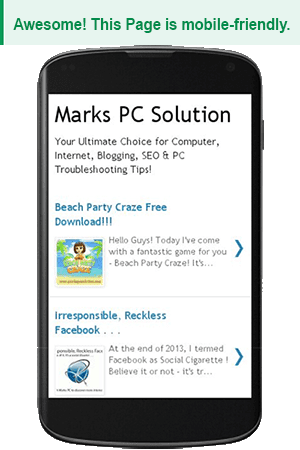
Yes, Google have started applying this rule since April 21, 2015. And Ive already tested my site. Marks PC Solution have successfully passed the Mobile-Friendly test! See the result below:
Ive also analyzed Marks PC Solution on Google PageSpeed Insights. That result is also satisfactory for mobile devices. Have a look -

You can also test your site. Simply follow the link below:
Ive also analyzed Marks PC Solution on Google PageSpeed Insights. That result is also satisfactory for mobile devices. Have a look -
You can also test your site. Simply follow the link below:
Take the Mobile-Friendly Test
After visiting the above link, enter your sites URL to the box. Now hit on the Analyze button to start the test. Within few seconds, you will get the result. If it says okay then you can relax. But if the test shows that your site is not mobile friendly, then youve got a lot of works to do . . .
Make your Site Compatible with Mobile Devices
How do you make your site mobile friendly depends on what do you use to maintain your site. Most of the webmasters use different CMS(s) to manage their websites/ blogs. Such as - WordPress, Blogger, Joomla!, Drupal, Google Sites, Tumblr etc.
And not everyone is expert in all these content management systems (CMS). So, I cant provide solutions except Blogger.
But there is nothing to worry about. You will get a complete Guide on Google Developers. I think this will cover most of the systems.
And you should also know, sites which are hosted by Google Sites are already optimized. You dont need to take any action. You can simply take a test.
The following links will be useful for you:
- Get Started with Webmasters Mobile Guide
- Customize your CMS
Optimize Blogger Sites
If youre using Blogger, then the task is much easier for you. Blogger offers some default mobile-friendly themes. If you enable one of them, then you dont need to make any other changes!
Follow the steps below:
- Open your blogger dashboard.
- Go to Template.
- Hit on the Settings/ Gear icon under Mobile.
- Now look at the image below. Choose the same settings as exactly selected in the following image.
- Yes. Show Mobile Template > Choose Default Mobile Template > Hit the Save button.

Now youre ready to go!
If it seems that your mobile look is very simple but you want a colorful one, then you can choose other templates available below the Default Template. And those templates are also mobile friendly. But you must take the test after choosing the template.
If you choose the Custom template from the list, then your desktop template will be adapted for mobile devices. But it may not work fine while viewing your site on a mobile device. But if you find your custom template is working fine, then you can use it.
Stay with Marks PC Solution to get more interesting IT topics!
Go to link download
Saturday, September 17, 2016
how to get out of align screen in omnia i900
how to get out of align screen in omnia i900

,yes i know, this maybe a hardware problem, but if you want to get out of the "align screen" loop on your omnia i900 after you perform a hard reset, this is how did it...
1. you must have active sync installed in your pc.
2. now power-off your phone.
3. connect your usb cable to phone and pc, then power on your mobile.
4. your mobile now will be detected and active synce will activated.
5. this is the important part, open notepad and leave the contents blank.
6. save it as "welcome.not" (without quotes and not as txt file).
7. go to active sync and click explore.
8. copy welcome.not to the mobile main memory.
9. restart phone.
thats it.. you will get past the "align screen".
hope it helps.
credits to samsung-omnia.org, modaco.com
Go to link download
Wednesday, September 14, 2016
Get Start Screen Back in Windows 10
Get Start Screen Back in Windows 10

Windows 8 came with a really smart look. But due to the negative feedback, the latest version of Windows (Windows 10) has come with traditional Start Menu. And to be honest, I can hardly find any change in Windows 10 which I can appreciate.
Applies to - Windows 10 Technical Preview.
Combination of Start Menu & Tiles
It looks really frustrating. To be honest its not worth of including here. In this combination, I cant work comfortably. And I guess most of the users have already adjusted with Windows 8 Start Screen. So it was not necessary to change this feature in Windows 10. Windows 8 lovers will hardly appreciate the new look!

Anyway, if you are comfortable with Start Screen and wanna get it back, there is no problem at all. You can easily switch between Start Menu and Start Screen. Simply follow the steps below:

- Right Click on your taskbar and select Properties.
- Go to the Start Menu tab.
- At the top, you will find this option marked - Use the Start Menu instead of the Start Screen.
- Simply click on the checkbox and unmark this option.
- Hit on Apply > OK and get your smart Start Screen back!

Installing .Net Framework 3.5 in Windows 10
.Net Framework 3.5 is missing by default as it was in Windows 8 and 8.1. And it causes problems while running those software which require this feature. Dont worry. You can install .Net Framework 3.5 following the same instruction as it was in Windows 8. Simply follow this method.
Stay with Marks PC Solution to get more interesting IT topics!
Go to link download
Sunday, September 11, 2016
Get a Twitter Card for your Site!
Get a Twitter Card for your Site!

Do you know Twitter let you attach photos with your tweets? If you have a blog or website, you can make a card for it. And when you share your URLs on Twitter, that card will appear with your tweets! All you need to do is simply add an HTML code on your site.
In my previous post, I discussed about Facebook Open Graph. If youve already implemented Facebook Open Graph on your site, then creating a Twitter Card will be much easier for you. Because, Facebook Open Graph an Twitter Card is almost similar.
5 Simple Steps to Create a Card
- Choose a Card Type for your site - ie. Summary Card with Large Image
- Now get the code from there. Change it where necessary.
- Add the code in your sites HTML.
- Test your home page URL through Card Validator.
- Now tweet your sites link and your card will appear below the post!
Twitter Card Code including Open Graph
<meta name="twitter:card" content="Your Ultimate Choice for Computer, Internet, Blogging, SEO & PC Troubleshooting Tips!" /><meta content=summary_large_image name=twitter:card/><meta name="twitter:site" content="@markspcsolution" /><meta name="twitter:creator" content="@markspcsolution" /><meta property="og:url" content="http://www.markspcsolution.com/" /><meta property="og:title" content="Marks PC Solution" /><meta property="og:description" content="There is no mistake in the world of technology - everything is learning!" /><meta property="og:image" content="http://s10.postimg.org/g0aysum0p/Marks_PC_Banner.png" />
This is exactly the same code which Im using for my site. You just need to change in the content option. And you must create an image for the card and upload it to a server. Then share the URL in the image meta.
Here is the embedded tweet for Marks PC Solution -
http://t.co/FaLTKsL1sx
— Marks PC Solution (@markspcsolution) October 4, 2014CMS Integration Guide
Twitter has provided a complete integration guide for twitter card. Thats why Im not gonna discuss about the code integration. Simply follow this URL for code integrtion.
Here will find the tutorial for -
- WordPress
- Tumblr
- Blogger
If you need any other help, please knock me . . .
Stay with Marks PC Solution to get more interesting IT topics!
Go to link download
Wednesday, September 7, 2016
Get a Free SEO Report for your Site
Get a Free SEO Report for your Site

Trends in the practice of SEO has changed a lot. In fact, its getting changed always. Now Google focuses on the mobile friendliness of a site. And the impact of unique and useful contents has increase as well. Still there are some technical issues which you need identify and fix. Lets get an In-page analysis of your site . . .
If you search google with the query - Free SEO Report, you will get thousands of free tools. But all of them are not effective, all of them are not reliable. Im gonna introduce you with WebRank Page which I use very often.
About WebRank Page | In-Page Analysis
WebRank Page gives you an insight of your site. It conducts analysis on the following major categories -
- In-Page Analysis
- Social Analysis
- Link Analysis
- Security Analysis
- Others . . .
And you get these services for free!
How to Use?
Using this service is as simple as visiting a website. Follow the method below -
Visit WebRank Page > Enter your sites URL (i.e. markspcsolution.com) > Hit on the Analyze button.
Or you can directly enter this URL in the browsers tab -
http://www.webrankpage.com/analyze/markspcsolution.com
Just change the last part of the URL with your sites domain.
Understanding the Result . . .
Here you will see a lot of things. The blue factors indicate that youre okay. And the problematic aspects will be marked red.
- After you enter your site, the page will generate report on it. The first thing you will notice is a grade. It maybe A, B, C, D or E depending on your score. So far, Marks PC Solution scored C.
- Just by the side of grading score, you will see the top 5 things you need to be fixed in your site.
- Next you will see SEO Report Summary - Successful and failed parameters.
- Basic Analysis will analyze your - Google Pagerank, Title, Meta Description, Meta Keywords, DocType, Encoding, Language, Load Analysis, Favicon, URL, Domain age and validity etc.
- HTML Code Analysis will examine your - Text/HTML Ratio, Headings, Images, Keywords, Tables, CSS, Flash, W3C Validity.
- Social Analysis will measure the strength of your site in social sites- Google+, Twitter, Facebook.
- Linking will count your internal and external links.
- Pages Indexed will show whether your site is indexed in Google and Bing.
- Visitor Analysis will show information based on Alexa.
- Security Analysis will show the security issues of your site. Whether its listed on spammers directory or affected by malicious software etc.
Have a look at the screenshot -

Taking Actions
Based on the report and your understanding, you may take corrective actions for your site. If youre a new blogger/ web developer, then you may not understand all the parameters. In that case, dont worry too much.
Just fix the parts which you can do. And try to learn the other parts gradually. And dont be nervous about any part of the report. No page is successful in every aspect.
Just try to improve always . . .
Stay with Marks PC Solution to get more interesting IT topics!
Go to link download
Wednesday, August 24, 2016
Get Photo Viewer Back in Windows 10 !!
Get Photo Viewer Back in Windows 10 !!

Microsoft is playing with the users. Theyve made so many stupid changes that puzzled the Windows 10 users. By default, Windows 10 users are not allowed to use Windows Photo Viewer. Instead, were forced to use a new app called - Photos! Though it provides a number of options for image editing, as a viewer, its not good at all.
The most funny thing is that, Microsoft hasnt removed the Windows Photo Viewer at all. Its just disabled. By adding a small registry file, you can easily re-enable it! My question is - what is the logic behind hiding it? Whats the benefit of Microsoft??
Enable Windows Photo Viewer
- Download the Registry Key from here. Less than 100 KB!
- Unzip it.
- Double click on the file WPV.reg and hit Yes > Yes > OK.
- Youre done and Good to go!
Open Photos/ Images through Photo Viewer
- Right click on any image.
- Open with > Choose another app
- Click on More apps to see the full app list
- Select Windows Photo Viewer
- Mark the option - Always use this app
- Hit OK.

In the above example, you can see only .JPG files to be viewed through Photo Viewer. But you can run the same operation for PNG, GIF or any other image format. Then those pictures will also be displayed via Windows Photo Viewer.
The Registry File
The Registry File
The registry file Im sharing is -
Windows Registry Editor Version 5.00
[HKEY_CLASSES_ROOTApplicationsphotoviewer.dll]
[HKEY_CLASSES_ROOTApplicationsphotoviewer.dllshell]
[HKEY_CLASSES_ROOTApplicationsphotoviewer.dllshellopen]"MuiVerb"="@photoviewer.dll,-3043"
[HKEY_CLASSES_ROOTApplicationsphotoviewer.dllshellopencommand]@=hex(2):25,00,53,00,79,00,73,00,74,00,65,00,6d,00,52,00,6f,00,6f,00,74,00,25,00,5c,00,53,00,79,00,73,00,74,00,65,00,6d,00,33,00,32,00,5c,00,72,00,75,00,6e,00,64,00,6c,00,6c,00,33,00,32,00,2e,00,65,00,78,00,65,00,20,00,22,00,25,00,50,00,72,00,6f,00,67,00,72,00,61,00,6d,00,46,00,69,00,6c,00,65,00,73,00,25,00,5c,00,57,00,69,00,6e,00,64,00,6f,00,77,00,73,00,20,00,50,00,68,00,6f,00,74,00,6f,00,20,00,56,00,69,00,65,00,77,00,65,00,72,00,5c,00,50,00,68,00,6f,00,74,00,6f,00,56,00,69,00,65,00,77,00,65,00,72,00,2e,00,64,00,6c,00,6c,00,22,00,2c,00,20,00,49,00,6d,00,61,00,67,00,65,00,56,00,69,00,65,00,77,00,5f,00,46,00,75,00,6c,00,6c,00,73,00,63,00,72,00,65,00,65,00,6e,00,20,00,25,00,31,00,00,00
[HKEY_CLASSES_ROOTApplicationsphotoviewer.dllshellopenDropTarget]"Clsid"="{FFE2A43C-56B9-4bf5-9A79-CC6D4285608A}"
[HKEY_CLASSES_ROOTApplicationsphotoviewer.dllshellprint]
[HKEY_CLASSES_ROOTApplicationsphotoviewer.dllshellprintcommand]@=hex(2):25,00,53,00,79,00,73,00,74,00,65,00,6d,00,52,00,6f,00,6f,00,74,00,25,00,5c,00,53,00,79,00,73,00,74,00,65,00,6d,00,33,00,32,00,5c,00,72,00,75,00,6e,00,64,00,6c,00,6c,00,33,00,32,00,2e,00,65,00,78,00,65,00,20,00,22,00,25,00,50,00,72,00,6f,00,67,00,72,00,61,00,6d,00,46,00,69,00,6c,00,65,00,73,00,25,00,5c,00,57,00,69,00,6e,00,64,00,6f,00,77,00,73,00,20,00,50,00,68,00,6f,00,74,00,6f,00,20,00,56,00,69,00,65,00,77,00,65,00,72,00,5c,00,50,00,68,00,6f,00,74,00,6f,00,56,00,69,00,65,00,77,00,65,00,72,00,2e,00,64,00,6c,00,6c,00,22,00,2c,00,20,00,49,00,6d,00,61,00,67,00,65,00,56,00,69,00,65,00,77,00,5f,00,46,00,75,00,6c,00,6c,00,73,00,63,00,72,00,65,00,65,00,6e,00,20,00,25,00,31,00,00,00
[HKEY_CLASSES_ROOTApplicationsphotoviewer.dllshellprintDropTarget]"Clsid"="{60fd46de-f830-4894-a628-6fa81bc0190d}"
If you dont like to download the registry file, then -
- Right click on your desktop
- New > Text Document
- Copy the above script as it is and paste it in the newly created text document
- Save it with a new name - WPV.reg
- Double click on the file > Hit Yes > Yes > OK. Thats it!
Hope this will work great for you. Still if you face any problem, please knock me . . .
Stay with Marks PC Solution to get more interesting IT topics!
Go to link download
Subscribe to:
Posts (Atom)