Wednesday, October 19, 2016
Browser Review A look back to 2014
Browser Review A look back to 2014

Another year has gone from our calendar. And were one more year close to the final day. 2014 was really a nice year with some technological breakthroughs. Actually we have innovations in every moment. Today I would like to write a review on Internet Browsers. In this post, I want you have a look back to the 2014.
Look at the following table:
| Browser | Statistics (2014) | Statistics by Marks PC (2013-2014) |
| Google Chrome | 56% | 48% |
| Firefox | 26% | 28% |
| Internet Explorer | 9% | 13% |
| Opera | 2% | 4% |
| Apple Safari | 4% | 2% |
| Others | 1% | 5% |
Here you get two statistics side by side. The first one is published by w3schools.com. You know they publish statistics month by month. Ive summed them up to show you the yearly users of the popular browsers.
And the second one is the statistics by Marks PC Solution itself. Its generated from Blogger Dashboard. Here Ive included the statistics of two years - 2013 & 2014. The browsers used by the visitors of Marks PC Solution from 2013 to 2014 are shown here.
Ive also created pie charts for better understanding. Have a look at them.


Reviews by Marks PC . . .
- Google Chrome: Market leader and the most popular browser as well. Chrome has captured more than 50% share of the browser market and ever growing!
- Mozilla Firefox: Beaten by Chrome about 2 years ago and now gonna lose its position as market challenger. Firefox has now only 26 to 28% market share and losing users to Chrome rapidly.
- Internet Explorer: Released in 1995 and survived as #1 for more than a decade. Now just keeping the honor of default browser of Windows OS. Capturing only 10 to 12% market share, the explorer will not give you a bad browsing experience at all!
- Opera: Tried their best to be popular in desktop environment. But it really disappoints the users! Being branded for mobile devices, Opera Mini is really successful in smart phones, tablets and featured phones.
- Apple Safari: A default browser for Mac OS. If the browsers were reviewed by weight, Safari would be the champion in this arena! I really hate this stupid browser. Its too heavy to work with. Your system may suffer to run it. It loads pages slowly as per my experience.
- Others: Combining all other browsers, you cant get more than 2 to 5% share. In Marks PC Solution, Ive detected these browsers - Mobile Safari, UCBrowser, Iron, Maxthon, Chromeframe, CriOS, NetFront, Netscape, Dragon etc.
Chrome has taken the first position in 2012. And now its going far away from Firefox. Nice look, continuous development, new features have made it unbeaten. Recently, Chrome has added some exciting features like - Cloud Printing, PDF conversion etc.
On the other hand, Firefox is still popular to the developers. Thousands of extensions have made it popular to the advanced users. But its heavy looking interface is mainly responsible for decline.
As a default browser, the number of users of Internet Explorer is really low. It should have at least 20% users. But its beaten by the browsing experience, compatibility and extensions (add-ons) of Chrome and Firefox. Microsoft is trying hard to make it popular. Earlier, the developers used to follow IE standards. But now they follow Firefox or Chrome sometimes!
Ive just tried to share my thoughts with you. Dont take it otherwise! Of course you got choice to discuss here . . .
Stay with Marks PC Solution to get more interesting IT topics!
Go to link download

Download 4x4 Cubes Hill Climb Racing 1 06 APK for Android
Download 4x4 Cubes Hill Climb Racing 1 06 APK for Android

ID: com.CNS.CubesHillClimb
Version: 1.06
File Size: 42Mb
4x4 Cubes Hill Climb Racing Screenshots








4x4 Cubes Hill Climb Racing Description
Enjoy the fun of controlling a crazy four-wheel offroad Racing!Race on high detailed cubed tracks! This game is for all extreme sport enthusiasts including fans jeeps, trucks, 4-wheelers!
Features:
- Highly 4WD SUV
- Real cars physics
- Designed for a good display on devices with low and high resolutions
Whats new in 4x4 Cubes Hill Climb Racing 1.06
1.06Download 4x4 Cubes Hill Climb Racing 1.06 APK
Go to link download
Tuesday, October 18, 2016
Hard Reset your BS Mobile Stark and remove password pattern lock gmail account
Hard Reset your BS Mobile Stark and remove password pattern lock gmail account
This tutorial is for BS Mobile Stark, follow my guide below.
This phone has Spreadtrum Chip (SPD6825) my gadget do not support this kind of chip. Im lucky that I found out the recovery mode after an hour.
Hopefully this tutorial will help you to unlock or fix your phone.

Hard resetting / factory resetting your phone will solve the following issues:
1. If you forgot your pattern lock
2. If you forgot your gmail account
3. If you forgot your password
4. Apps that automatically force closing
5. Stuck in BS Mobile Logo (sometimes does not work if the firmware is totally damage)
NOTE: Performing hard reset will erase your data.
To hard reset:
1. Turn off your phone
2. Press and Hold Volume Down + Power Button simultaneously. Keep holding the buttons until the phone power up. When you see the BS Mobile Logo immediately Press the HOME Button without releasing VOLUME DOWN + POWER Button.
3. An android Robot with red exclamation mark will appear. Press POWER button to activate Android System Recovery
4. Select wipe data / factory reset, then YES -- delete all user data, press Volume rocker to navigate and press the POWER button to confirm the selection
5. Reboot your phone.
Note:
If performing hard reset did not succeed, you need to wipe the cache first in the android system recovery before performing wipe / factory
reset.
I hope this tutorial helps you.. If you have any question just drop a comment.
Go to link download
Nitro PDF 9 Pro 2014 Download Free Offline Installer With Product Key Keygen Crack
Nitro PDF 9 Pro 2014 Download Free Offline Installer With Product Key Keygen Crack
Nitro PDF creator is an ideal print driver that allows you to print directly from your desired applications.And you can also drag any file or text to the desktop to create a PDF files.You can also share them safely with anyone you want.
The texts and files created by Nitro readers are compatible with any reader out there and you can see all your files and documnts created in nitro PDF in them.

You can create full featured PDFs as free does not mean limited in any way.You can fully control the output,customize the colors,embed the fonts,set the page size,manage orientations and the output quality as well or you can use it as a common tool with three presets that are Web,Office and Print ready.
This tool is so simple any every one can use it easily.
Features of nitro
- You can print PDF or documents files easily with this tool
- And you can share these files with other safely
- The texts and files created by Nitro readers are compatible with any reader
Nitro PDF 9 latest version
For win 32 bit
Download keygen here
Related: You can download latest flash files of any moble
Go to link download
How to Get Facebook Numeric ID
How to Get Facebook Numeric ID
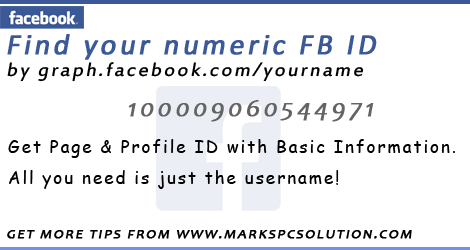
Whether youre using Facebook or Google Plus, you have an unique numeric identity number. If youre a Google Plus user, you must notice a number in your profile URL unless you havent got a username from Google. But Facebook automatically gives you a username after opening account. And thus your numeric ID is hidden from Facebook Profile URL. But you may often need to use the numeric ID of your Facebook account.
If you are an apps developer, or using social plugins for your site, you may need to use your numeric ID. Today Im gonna share an easy way to find out the numeric ID of your Facebook account.
In this way, you can find any persons profile ID number and Facebook page ID number. Follow the instruction below:
- Go to this URL - http://graph.facebook.com
- And type your username as - http://graph.facebook.com/username
- For example - http://graph.facebook.com/jolley.roberts
Now you will get the following details -
"id": "100004080544971", "first_name": "Jolley", "gender": "male", "last_name": "Roberts", "link": "https://www.facebook.com/jolley.roberts", "locale": "en_GB", "name": "Jolley Roberts", "username": "jolley.roberts"
As I mentioned earlier, you can also look up your page ID number. Suppose, the Facebook Fan Page of Marks PC Solution is -
https://www.facebook.com/markstips
You have to type http://graph.facebook.com/markstips to get this page ID. And this page will show you the following details:
"id": "550920454928744", "about": "Your Ultimate Choice for Computer, Internet, Blogging, SEO & PC Troubleshooting Tips!", "can_post": false, "category": "Computers/internet website", "checkins": 0, "has_added_app": false, "is_community_page": false, "is_published": true, "likes": 109, "link": "https://www.facebook.com/markstips", "name": "Marks PC Solution", "parking": { "lot": 0, "street": 0, "valet": 0 }, "talking_about_count": 1, "username": "markstips", "website": "http://www.markspcsolution.com", "were_here_count": 0
There are many other sites where you just need to submit your username and they will show you the details. But sometimes, if their server is down, you may not be able to use them. And there is also a little chance to get trapped by phishing sites! So, I think, using the graph is better.
Im familiar with a site which you can trust - Find your Facebook ID. In this site, you have to input your username. Then hit on the button - Lookup Numeric ID. Finally, it will display your name along with the numeric ID.
Stay with Marks PC Solution to get more interesting IT topics!
Go to link download
Subscribe to:
Posts (Atom)