Showing posts with label alcatel. Show all posts
Showing posts with label alcatel. Show all posts
Sunday, September 25, 2016
LGTOOL SGTOOL update news for Alcatel Huawei!
LGTOOL SGTOOL update news for Alcatel Huawei!
LGTOOL
by SEtool team
Version 2.34 released!
New version highlights:
Added all-new, worlds first algo for Alcatel Remote Calculator!
Added over 1Tb FW for HUAWEI phones!
DIRECT DOWNLOAD LGTOOL & SGTOOL
DOWNLOAD LGTOOL & SGTOOL FROM GOOGLE
New for LGTOOL remote services:
Alcatel 1060, 1060D, 1063, 1051A, 1051D, 1051N , 236G variants, 3116 variants,
1062, 2040G, 2040D, 2041G, 2041D, 3116N, 316 variants - Worlds first!
- calculate unlock codes by IMEI - Price is only 6 FREE credits or 1 paid credit
Other changes in LGtool, SGtool and remote services:
- Added 5697 files for 583 models (over 1tb!) for HUAWEI phones
- Fixed an issue with SGtool update
- HTC IMEI calc algo improved
You can view our official reseller list here. Resellers with credits available are marked as “In stock”, please contact them now to avoid disappointment.
Note:
Since v. 2.0 new license system for activated users is added. Please do not install LGtool 2.xx until you purchase LGtool license (paid activation).
New users should install v.1.99 first to register smart card.
LGTool/SGTool Official Support Forum
LGTool Official Website

Go to link download

Friday, September 23, 2016
Hard Reset Alcatel One Touch 4033E and remove password pattern lock gmail account
Hard Reset Alcatel One Touch 4033E and remove password pattern lock gmail account
This tutorial is for Alcatel One Touch Magic 4033E, follow my guide below. I will also post a video tutorial.
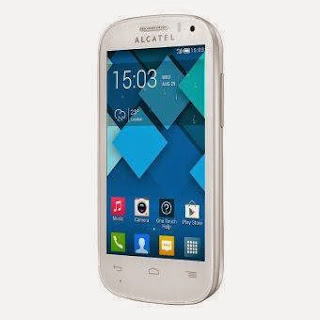
Hard resetting / factory resetting your phone will solve the following issues:
1. If you forgot your pattern lock
2. If you forgot your gmail account
3. If you forgot your password
4. Apps that automatically force closing
5. Stuck in Alcatel Logo (sometimes does not work if the firmware is totally damage)
NOTE: Performing hard reset will erase your data.
To hard reset:
1. Turn off your phone
2. Press and Hold Volume UP + Power Button simultaneously. Keep holding the buttons until the phone power up and you will see the Android System Recovery.
3. Select wipe data / factory reset, then YES -- delete all user data, press Volume rocker to navigate and press the POWER button to confirm the selection
4. Reboot your phone.
Note:
If performing hard reset did not succeed, you need to wipe the cache first in the android system recovery before performing wipe / factory
reset.
I hope this tutorial helps you.. If you have any question just drop a comment.
Go to link download
Subscribe to:
Posts (Atom)